Best Gaming Mouse UK
Logitech, Razer & Budget Picks Compared Honestly
We compared 6 of the best gaming mice available in the UK right now — from the £110 Logitech G502 X Plus to the £28 G305. Real prices, honest drawbacks, and which one you should actually buy.
8.8Winner
versus 8.5Runner-up
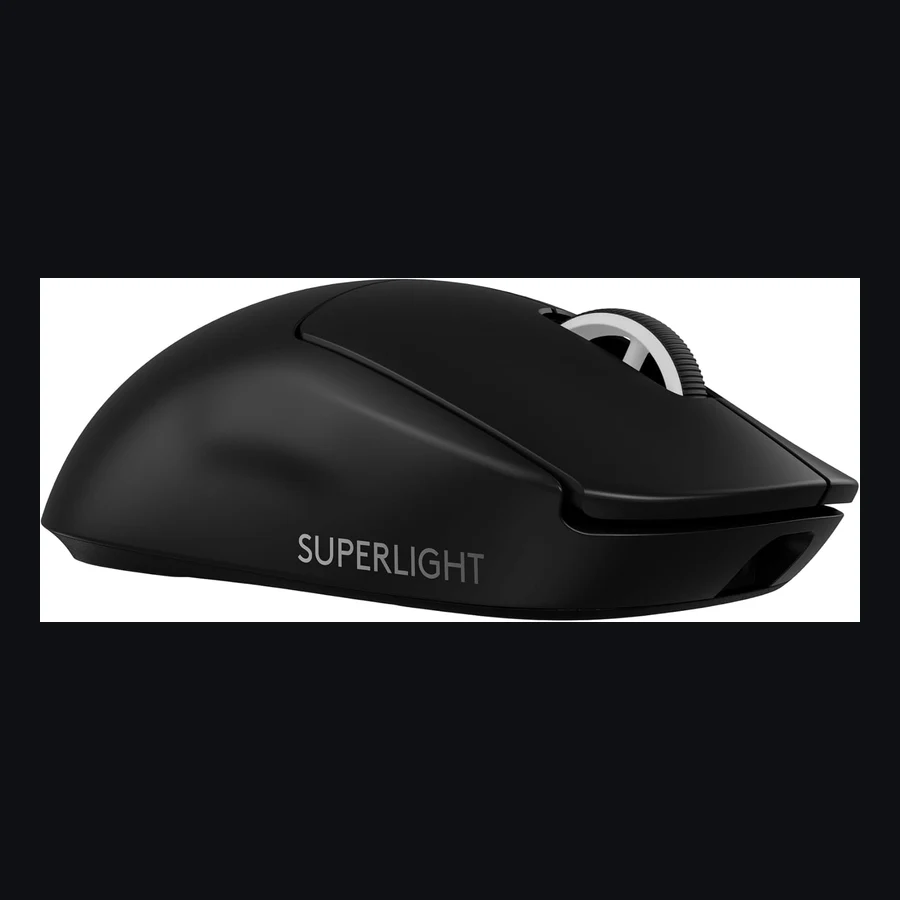
Logitech G Pro X Superlight 2
Still the safe UK FPS mouse if you want light weight + boring reliability.
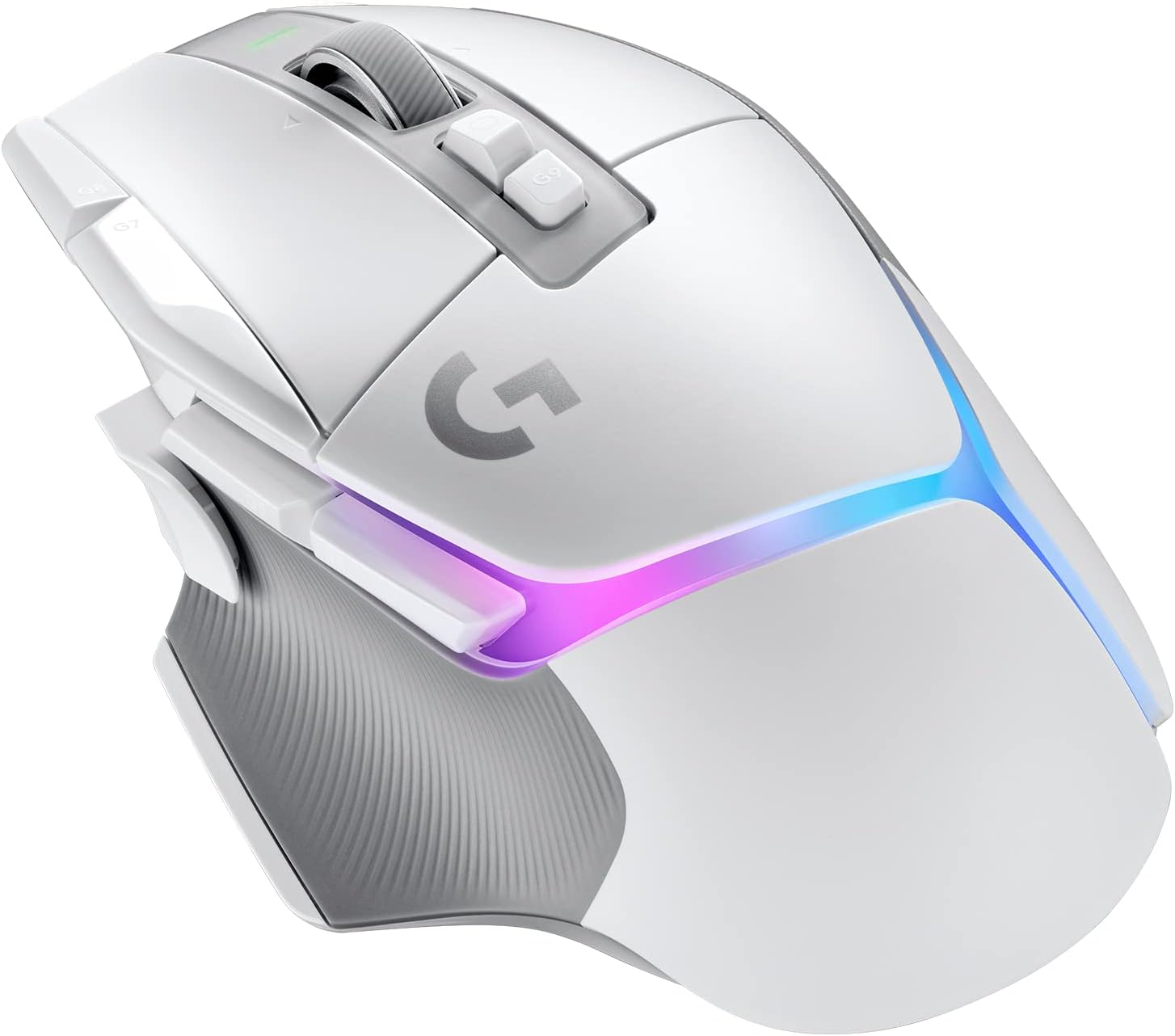
If you want one mouse that does everything well — gaming, work, and everything in between — buy the Logitech G502 X Plus. It is not the lightest, not the cheapest, and not the flashiest, but it is the single best all-round gaming mouse you can buy in the UK right now. If you are a competitive FPS player who cares about every gram, skip to the Superlight 2. If you are on a tight budget, the £28 G305 will genuinely surprise you.
1. Cost and Price — What You Actually Pay in the UK
Gaming mouse pricing in the UK has stabilised through mid-2026. The gap between wired and wireless has narrowed considerably — you can now get a genuinely good wireless gaming mouse for under £30, something that was unthinkable three years ago. Here is what each mouse costs as of August 2026, sourced from Amazon UK live pricing:
| Mouse | Type | Weight | UK Price | Best For |
|---|---|---|---|---|
| Logitech G502 X Plus | Wireless / RGB | 106g | £109.99 | All-round use |
| Logitech G Pro X Superlight 2 | Wireless | 60g | £108.14 | Esports / FPS |
| Razer DeathAdder V3 Pro | Wireless | 63g | £92.99 | Ergonomic comfort |
| Logitech G502 X Lightspeed | Wireless | 102g | £89.99 | Wireless on a budget |
| Logitech G502 X Wired | Wired | 89g | £57.98 | Wired reliability |
| Logitech G305 Lightspeed | Wireless | 99g | £27.99 | Budget wireless |
Five-year ownership cost: Unlike keyboards or headsets, gaming mice have essentially zero running costs — no subscription software required, no battery purchases for rechargeable models, and Logitech\'s LIGHTSPEED dongles typically outlast the mouse itself. The wired G502 X is the cheapest to own outright. The G305 uses a single AA battery that lasts roughly 250 hours; budget about £3 per year for replacements if you are a heavy user.
Prices were verified on Amazon UK on 3 August 2026 and will fluctuate. At the time of writing, the G502 X Plus and Superlight 2 are within £2 of each other — an unusually tight gap that makes the decision purely about priorities (features vs weight) rather than budget.
2. Problems and Drawbacks — What Could Go Wrong
No gaming mouse is perfect. Here are the genuine complaints from Amazon UK reviews, Reddit threads (r/MouseReview, r/LogitechG, r/Razer), and long-term owner experiences:
Logitech G502 X Plus — Scroll Wheel Rattle
The G502 X Plus uses Logitech\'s magnetic infinite-scroll wheel. It is brilliant when it works — flick to free-spin through long documents or weapon-switch with notched precision — but several owners report a slight rattle when shaking the mouse or during fast swipes. It is a design trade-off, not a defect: the magnetic mechanism inherently has more play than a fixed mechanical wheel. If you are sensitive to rattles, try one in a shop first. The white colourway also shows dirt faster than the black.
Logitech G Pro X Superlight 2 — No DPI Button, No RGB, No Frills
The Superlight 2 strips away everything that is not essential for competitive play. There is no DPI button on top, no RGB lighting, no free-spin scroll wheel, and only five programmable buttons (left, right, middle click, and two side buttons). This is deliberate — every gram counts for esports — but if you want to switch DPI profiles mid-game without opening G Hub software, this mouse will frustrate you. Several owners on r/MouseReview also note that the stock skates (feet) are adequate but not great; aftermarket PTFE skates are a common upgrade.
Razer DeathAdder V3 Pro — Synapse Software Bloat
The DeathAdder V3 Pro is a genuinely excellent mouse held back by Razer Synapse. The software demands frequent updates, runs background processes that can interfere with anti-cheat software in some competitive titles, and requires an account to access basic settings like DPI tuning. If you set your DPI once and never touch Synapse again, you will be fine. If you like to tweak settings regularly, budget for some patience. The coating on the black model is also a fingerprint magnet.
Logitech G502 X Lightspeed — Awkward Middle Child
The Lightspeed sits in an odd position: it costs £20 less than the Plus but loses the RGB and the magnetic scroll wheel — two of the G502 line\'s defining features. At £90, you are paying a lot for a mouse that feels deliberately crippled. Most buyers would be happier either saving £30 with the wired version or spending the extra £20 for the full-fat Plus.
Logitech G502 X Wired — The Cable Is Still a Cable
The wired G502 X is excellent value, but the cable — while lighter and more flexible than older braided Logitech cables — is still a cable. It will snag on desk edges, drag across your mousepad, and generally remind you that wireless is now the standard. A £10 mouse bungee solves most of this, but that eats into the price advantage.
Logitech G305 Lightspeed — AA Battery and Shape Limitations
The G305 runs on a single AA battery. This gives it excellent battery life (roughly 250 hours at 1000Hz polling) but also means it is heavier than modern ultralights — 99g with a standard AA, or about 88g with a lithium AA. The egg-shaped shell is also divisive: it suits claw and fingertip grips well but feels uncomfortable for palm-grip users with larger hands. The side buttons are mushy compared to every other mouse on this list.
3. Head-to-Head Comparison
| Feature | G502 X Plus | Superlight 2 | DeathAdder V3 Pro | G502 X Lightspeed | G502 X Wired | G305 |
|---|---|---|---|---|---|---|
| Sensor | HERO 25K | HERO 2 (44K) | Focus Pro 30K | HERO 25K | HERO 25K | HERO 12K |
| Max DPI | 25,600 | 44,000 | 30,000 | 25,600 | 25,600 | 12,000 |
| Polling Rate | 1000Hz | 8000Hz | 8000Hz | 1000Hz | 1000Hz | 1000Hz |
| Weight | 106g | 60g | 63g | 102g | 89g | 99g |
| Buttons | 11 | 5 | 6 | 11 | 11 | 6 |
| Scroll Wheel | Magnetic (free + notched) | Standard notched | Standard notched | Standard notched | Standard notched | Standard notched |
| RGB | Yes (8-zone) | No | No | No | No | No |
| Battery Life | 37hr (RGB on), 130hr (RGB off) | 95hr | 90hr | 140hr | N/A (wired) | 250hr (AA battery) |
| Connection | LIGHTSPEED + USB-C | LIGHTSPEED + USB-C | HyperSpeed + USB-C | LIGHTSPEED + USB-C | USB wired | LIGHTSPEED |
What the table does not tell you: DPI numbers above about 6,400 are marketing — no competitive player uses 44,000 DPI. The real differentiators are weight, shape, and software. The G502 X Plus is the only mouse here with an infinite scroll wheel, which matters more for productivity than gaming. The Superlight 2 and DeathAdder V3 Pro are the only mice capable of 8,000Hz polling, but you need a high-refresh monitor (240Hz+) to notice the difference.
4. Who Each Mouse Is For
Logitech G502 X Plus — The All-Rounder
Buy if: You want one mouse for gaming, work, and everything in between. You value features (RGB, infinite scroll, extra buttons) and do not mind the 106g weight. You play a mix of genres — FPS, MMOs, strategy — rather than one competitively. View on Amazon | Find on eBay
Avoid if: You are a competitive FPS player who prioritises weight above all else. You find RGB distracting. You have small hands — the G502 is a large mouse.
Logitech G Pro X Superlight 2 — The Esports Pick
Buy if: You play competitive FPS (Valorant, CS2, Overwatch) and want every possible advantage. You value low weight and high polling rate above features. You are happy setting DPI once and never touching it again. View on Amazon | Find on eBay
Avoid if: You want media controls, a DPI switch button, or RGB. You play MMOs or strategy games that benefit from extra buttons. You find ultralight mice feel cheap — at 60g, it genuinely feels like an empty shell.
Razer DeathAdder V3 Pro — The Ergonomic Choice
Buy if: You have medium to large hands and use a palm grip. You want a lightweight wireless mouse but the Superlight 2\'s symmetrical shape does not work for you. You are already in the Razer ecosystem (keyboard, headset) and can tolerate Synapse. View on Amazon | Find on eBay
Avoid if: You hate mandatory software accounts. You use a claw or fingertip grip — the DeathAdder shape is designed for palm. You want a mouse you can also use for work without looking like a spaceship on your desk.
Logitech G502 X Lightspeed — The Wireless Compromise
Buy if: You want wireless but absolutely cannot stretch to £110 for the Plus. You do not care about RGB or the magnetic scroll wheel. View on Amazon | Find on eBay
Avoid if: You can save £30 by going wired (the G502 X Wired is the same mouse with a cable) or spend £20 more for the Plus. At £90, it sits in the worst possible price position.
Logitech G502 X Wired — Best Wired Value
Buy if: You do not mind a cable and want G502 features at the lowest entry price. You play at a desk where cable drag is not an issue (monitor arm cable routing, large desk pad). View on Amazon | Find on eBay
Avoid if: You have ever used a wireless mouse and cannot go back. Your desk setup is tight and a cable will snag. You want the magnetic scroll wheel — it is exclusive to the Plus.
Logitech G305 Lightspeed — Budget Wireless King
Buy if: You want wireless gaming on a tight budget. You have small to medium hands or use claw/fingertip grip. You are building a PC for a child or as a secondary setup. View on Amazon | Find on eBay
Avoid if: You have large hands or use palm grip — the egg shape will cramp your hand within an hour. You want rechargeable USB-C — the G305 uses AA batteries. You expect premium build quality — the side buttons and scroll wheel feel budget.
5. Best in Class — The Verdict
Winner: Logitech G502 X Plus (8.8/10)
The G502 X Plus wins because it is the mouse that works for the most people. It has the most features (11 buttons, magnetic infinite scroll, 8-zone RGB), the most connectivity options (wireless LIGHTSPEED with USB-C charging), and a shape that has been refined over a decade of G502 iterations. It is not the lightest — at 106g it is actually the heaviest mouse on this list — but unless you are playing Counter-Strike at a semi-professional level, you will not notice the extra 40 grams. You will notice the infinite scroll wheel every single day.
Runner-Up: Logitech G Pro X Superlight 2 (8.5/10)
If your primary game is a competitive FPS and you measure your mouse in grams, the Superlight 2 is the correct answer. The HERO 2 sensor with 8,000Hz polling is genuinely class-leading, and 60g is absurdly light for a wireless mouse with 95-hour battery life. The trade-off is that you lose every creature comfort — no RGB, no DPI button, no scroll wheel tricks. It is a specialist tool, and for that specialist use case, it is the best in the world.
Best Budget Pick: Logitech G305 Lightspeed (£27.99)
At £28, the G305 is so far ahead of every other mouse at its price that it is almost unfair. It uses the same LIGHTSPEED wireless technology as Logitech\'s £100+ mice. The sensor is older (HERO 12K vs 25K or 44K) but still more than capable for 1080p and 1440p gaming. The AA battery is a feature, not a bug — 250 hours means you charge it twice a year. If your budget is under £50, stop reading and buy the G305.
Sources & Evidence
- Amazon UK — live pricing and customer reviews for all six mice (verified 3 August 2026)
- Logitech G official product pages — sensor specifications, weight, and battery claims
- Razer official product page — DeathAdder V3 Pro specifications
- r/MouseReview (Reddit) — long-term owner experiences, skate quality assessments, and grip suitability discussions
- r/LogitechG (Reddit) — G502 X Plus scroll wheel rattle reports, G Hub software feedback
- r/Razer (Reddit) — Synapse software complaints and coating durability notes
- RTINGS.com — independent sensor latency and click latency testing methodology
- TechSavant.co.uk — UK-specific buying advice and pricing context
Frequently Asked Questions
Is a wired mouse better than wireless for gaming?
Not anymore. Modern wireless technologies (Logitech LIGHTSPEED, Razer HyperSpeed) have latency equal to or lower than wired connections. The only remaining advantage of wired is price — the G502 X Wired at £58 is £30 cheaper than its wireless equivalent. For competitive gaming, wireless is now the standard.
What DPI should I use for gaming?
Most competitive FPS players use between 400 and 1600 DPI, combined with low in-game sensitivity. Higher DPI numbers (above 6,400) are marketing — no human can control a mouse at 25,000 DPI. Set your DPI so that a comfortable wrist movement moves your crosshair about 180 degrees in-game, then fine-tune from there.
Does mouse weight actually matter?
It matters for competitive FPS players who make large, fast swipes — lighter mice reduce fatigue and improve stopping accuracy. For everyone else, shape and button placement matter far more than weight. A 106g mouse that fits your hand perfectly will always beat a 60g mouse that cramps your fingers.
Should I wait for newer models?
All six mice on this list are current-generation products with modern sensors. The G502 X line was released in late 2022 and refreshed through 2024. The Superlight 2 and DeathAdder V3 Pro are both 2024 models. There are no credible rumours of imminent replacements as of August 2026. Buy with confidence.
Logitech G Pro X Superlight 28.4/10Runner-up
Why buy this one
Still the safe UK FPS mouse if you want light weight + boring reliability. Skip if you need side buttons galore or hate Logitech's shape.
Review synthesis
Shape and click feel remain the praise anchors. Themes: battery life excellent, G Hub disliked, skates wear, and price stays premium. UK stock is easy; returns via Amazon painless.
- weight / glidestrong
- shape for claw/fingertipstrong
- G Hubpain
- batterystrong
Stats
| sensor | Hero 2 |
| buttons | 5 primary |
| weight_g | ~60 |
| wireless | true |
Buy if…
- Competitive FPS with a proven light shape
- You want weeks between charges
- You value boring reliability over gimmicks
Skip if…
- Few buttons for MMO / productivity macros
- Premium price for incremental gains vs Superlight 1
Concrete usage ideas
- Low-sens CS2 on a large deskpad in a small UK bedroom
- LAN travel mouse that survives backpack abuse
- Pair with 60% board to reclaim mouse space on 120cm desks
FAQ
Which is better: Logitech G502 X Plus or Logitech G Pro X Superlight 2?
Logitech G502 X Plus is our pick (8.8/10) vs Logitech G Pro X Superlight 2 at 8.5/10. We compared 6 of the best gaming mice available in the UK right now — from the £110 Logitech G502 X Plus to the £28 G305. Real prices, honest drawbacks, and which one you should actually buy.
How much does the Logitech G502 X Plus cost in the UK?
UK price is updating — check Amazon or eBay via the buy boxes above. We never invent a price.
Who should buy the Logitech G Pro X Superlight 2 instead?
Choose Logitech G Pro X Superlight 2 if you prioritise value over the overall winner (about £99.99 UK). See the score breakdown and drawbacks in the article.
How does Gear Versus Tech score products?
Performance 40%, value 25%, build 20%, ease of use 15% — out of 10. Rankings are never sold. Full detail on our methodology page.
Get kit drops & UK stock notes
New versus matchups, garage-gym / gaming-room kit alerts, and deal notes. One email a week.
One email per week. Confirmation page next. Unsubscribe any time. Privacy.
Prices checked via the Amazon Creators API and may since have changed. Affiliate disclosure · How we test