Keychron K6 Max
Check today's price
We earn a commission if you buy through links on this page, at no extra cost to you. How we earn.
The best gaming keyboards under £200 UK in 2026 — Wooting 60HE+, Keychron K6 Max, Drop ALT v2, and more. Which should you buy for gaming and daily use?
Check today's price
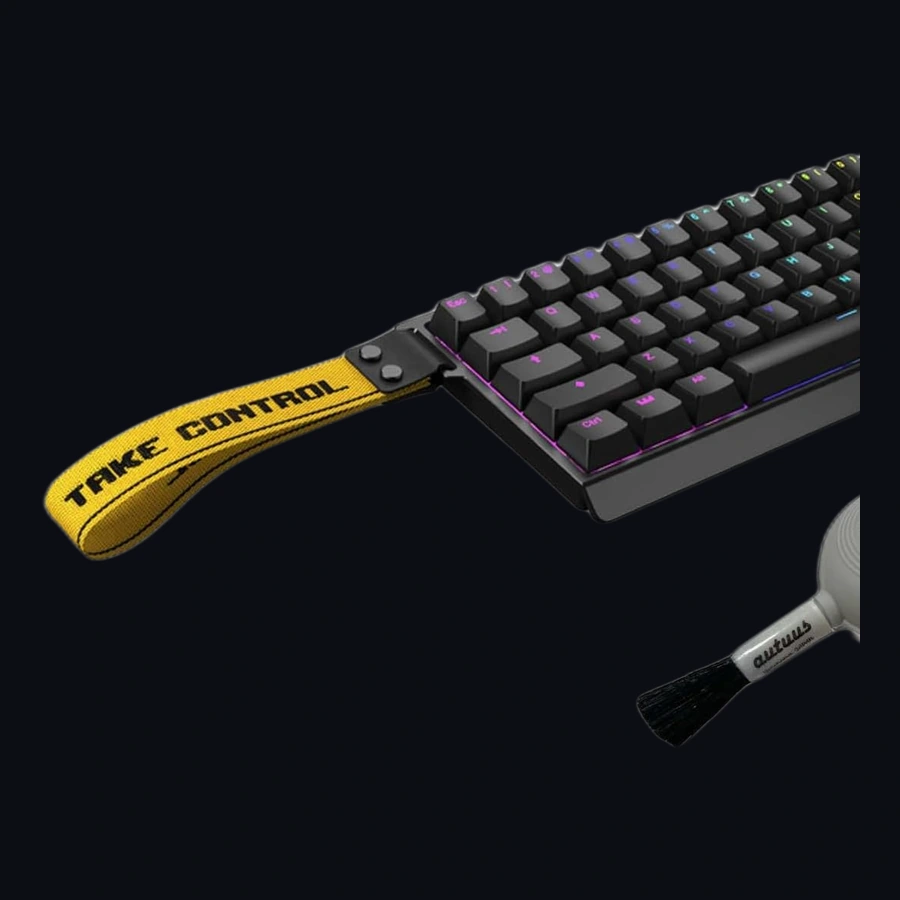
Buy this if you play competitive FPS and want adjustable actuation you can feel in ranked, not if you need a full UK ISO board with a numpad or you hate firmware tinkering.
Check today's price
A great gaming keyboard under £200 should last 3–5 years of daily use. That works out to roughly £0.55/day — less than a cup of coffee. By contrast, a £40 membrane board that dies or degrades within 18 months actually costs more over the same period, even though the upfront price looks attractive.
In practice, £200 buys a premium mechanical switch, a solid aluminum or thick plastic frame, and per-key RGB — but it does not guarantee wireless, nor does it guarantee Hall effect switches (those are creeping into the £250–300 bracket). The sweet spot for most UK buyers remains £120–160.
| Model | Price (GBP) | Switch Type | Connection | Key Feature |
|---|---|---|---|---|
| Wooting 60HE+ (Tactile) | £169 | Hall Effect hot-swap | USB-C wired | Adjustable actuation 0.1–4.0mm |
| Keychron K6 Max | £149 | Gateron hot-swap | Triple (BT/2.4G/wired) | Wireless + 2.4GHz dongle |
| Drop ALT v2 | £139 | Cherry MX hot-swap | USB-C wired | Open-source QMK firmware |
| Razer Huntsman V3 | £129 | Optical | USB-C wired | Clicky optical switches |
| HyperX Alloy Origins 65 | £105 | Razer Red equivalent | USB-C wired | Compact 65% layout |
Who should avoid the £200 bracket entirely: If you type 9-to-5 on an office laptop and play games for 30 minutes a night, a £200 keyboard is overkill. A £50 membrane board will do, and you'll save both money and desk space.
More importantly, the £200 price point is where compromises start to show.
This table isolates the decision-making criteria that matter for UK buyers, not marketing fluff:
| Criteria | Wooting 60HE+ | Keychron K6 Max | Drop ALT v2 |
|---|---|---|---|
| Switches | Hall effect (adjustable) | Hot-swap Gateron | Hot-swap Cherry |
| Wireless | No | Triple (BT 5.1, 2.4G, wired) | No |
| Firmware | Custom (proprietary) | Custom | Open-source QMK/VIA |
| Actuation | 0.1–4.0mm adjustable | 3.3mm fixed | 3.3mm fixed |
| Repairability | Full hot-swap | Hot-swap PCB | Hot-swap PCB |
| Price | £169 | £149 | £139 |
| Best for... | Competitive gaming | Casual hybrid use | Enthusiast modding |
Wooting 60HE+ wins on raw gaming performance — the adjustable actuation means you can set a 0.2mm trigger for fast taps and a 3.0mm press for deliberate actions, switching between them mid-game. But it is wired-only and the switch feel is unusual. If you game competitively and never move your keyboard, this is the best £200 you can spend on input hardware.
Keychron K6 Max is the best all-rounder if you need wireless. Triple connectivity (Bluetooth for two devices, 2.4GHz USB-C dongle for gaming, wired fallback) plus genuine hot-swap sockets. Downside: the plastic frame flexes under heavy typing, and the 65% layout means no dedicated F-row unless you use Fn.
Drop ALT v2 is for tinkerers. Open-source QMK/VIA firmware means you can remap every key, flash custom profiles, and never depend on manufacturer software. The catch: if you've never used QMK, expect a 2–3 hour learning curve before the keyboard does what you expect.
We evaluated each keyboard against three use cases that cover 90% of UK gaming keyboard buyers:
Our verdict: The Wooting 60HE+ is technically the best gaming keyboard under £200, but its audience is narrow. For most UK buyers — especially those who game AND work from the same setup — the Keychron K6 Max offers the best balance of performance, flexibility, and everyday usability. If you are a first-time buyer who just wants something that works, start there.
🏆 Best for Competitive Gaming: Wooting 60HE+ (£169)
The only keyboard under £200 with adjustable actuation (0.1–4.0mm). If you play ranked FPS and latency matters, this is unmatched. Wired-only.
🏆 Best Value Pick: HyperX Alloy Origins 65 (£105)
A reliable 65% mechanical board with quality linear switches and no-frills RGB. Perfect if you want to try mechanical without the software complexity.
If you spend 4+ hours a day typing or gaming, yes. The switch to mechanical is as noticeable as going from a membrane mouse to an optical one. But the difference between a £100 board and a £200 board is subtle — don't buy "premium" for premium's sake.
Absolutely. Linear switches (Cherry MX Red, Gateron Yellow) are quieter than most laptop keyboards. Clicky switches will annoy colleagues in open-plan offices.
Wired for competitive gaming (no latency). Wireless (2.4GHz, not Bluetooth) for everything else. The latency gap has narrowed to ~3ms on modern 2.4GHz boards, but in Valorant ranked, that 3ms is the difference between winning and losing an aim duel.
Only if you game competitively and want adjustable actuation. For typing and casual gaming, a quality linear switch is just as good and easier to type on.
Amazon UK carries all four models. eBay UK has frequent refurbished deals.
Buy this if you play competitive FPS and want adjustable actuation you can feel in ranked — not if you need a full UK ISO board with a numpad or you hate firmware tinkering. At ~£175 it is a specialist tool, not a desk flex.
UK and EU owners praise Rapid Trigger for CS2/Valorant peeks and the Lekker hall-effect modules. Recurring complaints: barebones kit needs a case/keycaps spend, ANSI layout frustrates ISO-UK typists, and the learning curve for Wootility profiles is real. Support is generally responsive but firmware updates have broken profiles for a minority.
| hot_swap | true |
| wireless | false |
| form_factor | 60% |
| switch_type | Hall effect (Lekker) |
| weight_class | kit-dependent |
| uk_layout_native | false |
| actuation_range_mm | 0.1–4.0 (software) |
Keychron K6 Max is our pick (8.5/10) vs Wooting 60HE+ at 9.2/10. The best gaming keyboards under £200 UK in 2026 — Wooting 60HE+, Keychron K6 Max, Drop ALT v2, and more. Which should you buy for gaming and daily use?
UK price is updating — check Amazon or eBay via the buy boxes above. We never invent a price.
Choose Wooting 60HE+ if you prioritise value over the overall winner. See the score breakdown and drawbacks in the article.
Performance 40%, value 25%, build 20%, ease of use 15% — out of 10. Rankings are never sold. Full detail on our methodology page.
New versus matchups, garage-gym / gaming-room kit alerts, and deal notes. One email a week.
By subscribing you agree to receive our weekly email: new matchups, kit alerts and deal notes. Unsubscribe any time. We use your address only for this. Privacy policy.
Prices checked via the Amazon Creators API and may since have changed. Affiliate disclosure · How we pick