
Govee Gaming Light Kit G1
Out of stock on Amazon Checked today, 11:00
We earn a commission if you buy through links on this page, at no extra cost to you. How we earn.
Best Smart RGB for Gaming Rooms
Govee G1 at 69 pounds vs Philips Hue Sync Box at 250 pounds. Side-by-side comparison covering cost, drawbacks, specs, and verdict.
Out of stock on Amazon Checked today, 11:00
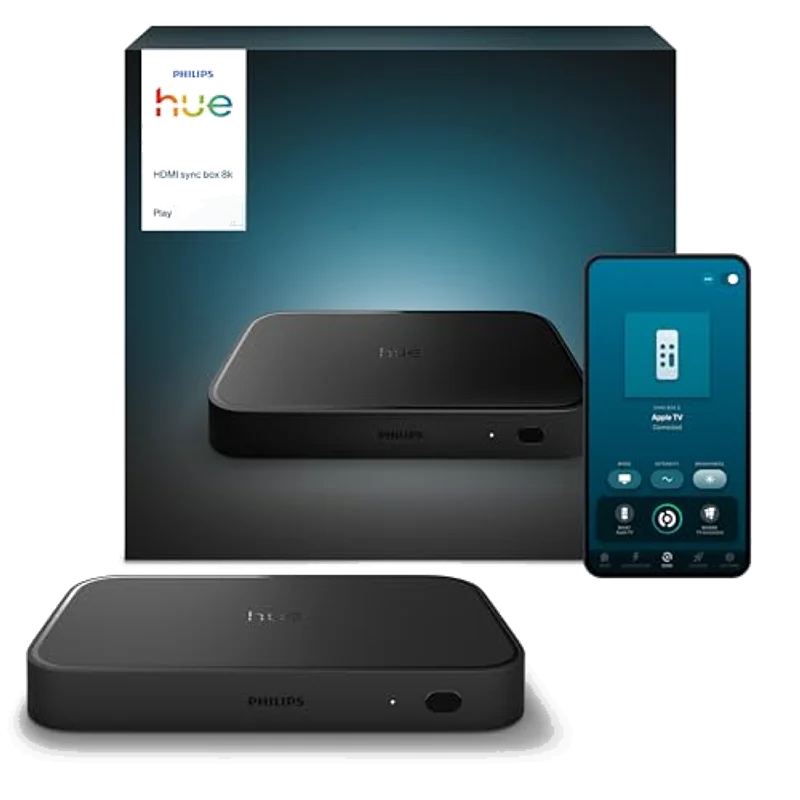
Buy only if you already own Hue lights and care about HDMI sync, otherwise Govee-style kits deliver 80% of the vibe for less.
£264.99 Checked today, 11:00
Smart ambient lighting transforms a gaming room from a desk with a monitor into an immersive environment. The two dominant players: Govee with its Gaming Light Kit at 69 pounds, and Philips Hue with its HDMI Sync Box at 250 pounds before buying a single light.
The Big 5: 1 of 5The Govee Gaming Light Kit arrives as a complete package: two RGBIC light bars, a monitor backlight strip, and the control hub. Plug it in and your gaming room has ambient lighting in under ten minutes.
The Philips Hue Play HDMI Sync Box is just the brain. You need to add at least three Hue Play light bars at approximately 50 pounds each. The all-in cost: 400+ pounds versus 69 pounds.
Govee relies on the Govee Home app and software-based screen capture for PC gaming. On a mid-range gaming PC this is negligible. On a system already running at 95 percent GPU utilisation, it can cause micro-stutter in demanding titles.
The build quality is acceptable but not premium. Plastic diffusers produce slightly uneven light distribution at maximum brightness. Govee does not support Matter or Thread.
The single biggest problem is the total cost of entry. A complete gaming room setup with three Play bars, a Gradient light strip, and the Sync Box runs to approximately 600 pounds. That is nearly nine times the cost of the Govee G1.
HDMI passthrough adds a point of failure between your console or GPU and your display. Some AV receivers and capture cards report intermittent signal drops.
The Big 5: 3 of 5| Specification | Govee G1 | Philips Hue Sync Box |
|---|---|---|
| Price (starter) | 69 pounds | 250 pounds (lights separate) |
| Total setup (3 lights) | 69 pounds | 400+ pounds |
| Sync method | Software (PC) / Camera (TV) | HDMI passthrough (zero latency) |
| HDMI 2.1 / 4K 120Hz | N/A | Supported |
| Matter / Thread | Not supported | Supported (via Hue Bridge) |
| Build quality | Plastic | Premium aluminium + glass |
| Setup time | Under 10 minutes | 30+ minutes |
| Our rating | 8.7 / 10 (value) | 9.1 / 10 (performance) |
Best for: PC gamers wanting ambient RGB on a budget. First-time gaming room builders.
Best for: Console gamers with existing Hue ecosystems. Zero-latency purists.
Buy the Govee G1 (69 pounds) if: You game primarily on a PC and can use software-based screen sync, want a complete kit in one box, and would rather spend the 330-pound difference on a better GPU or monitor.
Buy Philips Hue Sync Box (250+ pounds) if: You game on console and need zero-latency HDMI sync, already own a Hue Bridge and lights, or use Apple HomeKit with Matter and Thread.
For 90 percent of PC gamers building their first ambient lighting setup, the Govee G1 at 69 pounds is the clear winner.
Sources: Govee product specifications, Philips Hue product specifications, r/Govee community feedback, r/Hue community feedback. Prices checked via Amazon Product Advertising API July 2026.
Buy only if you already own Hue lights and care about HDMI sync — otherwise Govee-style kits deliver 80% of the vibe for less.
Sync quality praised by Hue households. Themes: price of entry (box + bulbs), HDMI handshake quirks, and 8K marketing vs real UK living-room needs. Niche luxury, not a starter smart-home buy.
| type | HDMI sync box |
| ecosystem | Philips Hue |
Govee Gaming Light Kit G1 is our pick (8.7/10) vs Philips Hue Play Sync Box 8K at 9.1/10. Govee G1 at 69 pounds vs Philips Hue Sync Box at 250 pounds. Side-by-side comparison covering cost, drawbacks, specs, and verdict.
UK price is updating — check Amazon or eBay via the buy boxes above. We never invent a price.
Choose Philips Hue Play Sync Box 8K if you prioritise value over the overall winner (about £264.99 UK). See the score breakdown and drawbacks in the article.
Performance 40%, value 25%, build 20%, ease of use 15% — out of 10. Rankings are never sold. Full detail on our methodology page.
New versus matchups, garage-gym / gaming-room kit alerts, and deal notes. One email a week.
By subscribing you agree to receive our weekly email: new matchups, kit alerts and deal notes. Unsubscribe any time. We use your address only for this. Privacy policy.
Prices checked via the Amazon Creators API and may since have changed. Affiliate disclosure · How we pick